Give SQL Server 2008 R2 CTP a Quick Try for Free

You have probably heard that the SQL Server 2008 R2 CTP is available, but you may not have given it a try yet because it is such a pain to download the huge install file, find a test server to run it on, and then install it. Under the best of conditions, this is at least a 3 hour job.

Now, if you want to check out the new features of SQL Server 2008 R2 (the August 2009 CTP), you can without going through all this hassle. Instead, you can go to www.sqlserverbeta.com, create a virtual instance of the software, and try it out, all for free.

All you have to do is fill out a short registration form, and shortly thereafter, you will have your own personal instance of SQL Server 2008 R2 to play and experiment with.  So now, you don’t have any excuse to learn about, and try out for yourself, all the cool new features in R2.

This offer is sponsored by PASS, Microsoft, Dell, and MaximumASP.

Free E-Book on XSD SQL Server Schema Collections

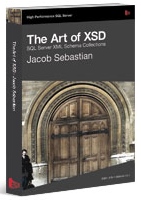
image Whether you like it or not, as a SQL Server DBA or Developer, you will eventually have to learn about XML and XSD (XML Schema Definition Language). XML has become, and continues to grow, as a popular format for exchanging data. If you are not up to speed on this technology, check out the this free e-book by Jacob Sebastian called The Art of XSD: SQL Server Schema Collections.

Continue reading

Backing Up Your Data is Obvious, Or Isn’t It?

Often, when I give presentations on DBA best practices, I make the obvious point that databases need to be regularly backed up, and that backups need to be tested to ensure that they can be successfully restored. Often, when I make this point, I feel that what I am saying is a little too obvious, and that perhaps I should even skip the point and focus on other best practices. In other words, perhaps I shouldn’t waste my time, and the time of my audience, on covering such basic information.

But the recent incident, where a T-Mobile Sidekick database was corrupted, and did not have proper backups, has caused a publicity nightmare for T-Mobile, and Microsoft (who was responsible for the data), and has lead me to rethink this. By the way, most of the data ended up being recovered several days later.

If Microsoft can make this mistake, so can any company. So from now on, whenever I talk about best practices, I won’t feel guilty about making such obvious points about the importance of backups.

Think You are Good at Designing User Interfaces? Then Prove It and Win!

The Future of Monitoring website, hosted by the Software Development Usability Team at Red Gate Software, is sponsoring a “Design the Perfect Monitoring Dashboard” contest. The goal is for you to design the ideal dashboard for monitoring a real-time view of what is happening with the SQL Servers you manage.

If you think you are up to the challenge, then check out the entry page to view everything you need to know about entering the contest.

Free T-SQL Database Maintenance Scripts

I often get questions in e-mails, or at user group meetings, for advice on writing T-SQL database maintenance scripts. There seem to be a lot of DBAs who need more flexibility than what the Database Maintenance Wizard offers to perform database maintenance, which means they must user either T-SQL or PowerShell scripts in order to get this flexibility. Unfortunately, many of the DBAs who ask me this question don’t have a lot of time, or T-SQL experience, so they don’t know where to start.

The advice I generally give to them is to not reinvent the wheel, but to see what others have done, and to emulate them, especially to those DBAs with lesser experience. For example, the following websites offer T-SQL database maintenance scripts that are freely available for others to use with little or no modification, or to use as a learning tool in order to see how other DBAs have tackled this issue.

Continue reading